nib App
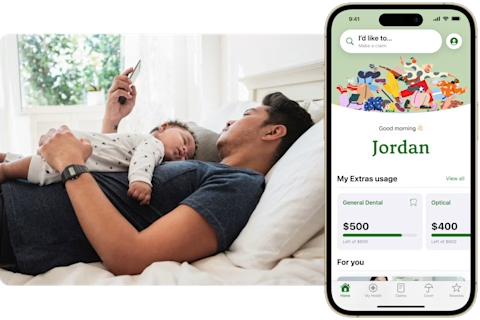
Download the nib App to manage your cover or sign up for a free nib membership, unlocking health support, rewards, discounts and more.


Free nib members
Start your journey to better health and wellbeing for free. Sign up through the nib App and get access to online health checks, savings on everyday health services and unlock nib Rewards.
Members with health insurance
As a health insurance member, you can enjoy all the benefits of a free membership, plus more! Unlock extra nib Rewards, get discounts on everyday health services and access Health Management Programs. Plus, manage your membership wherever you are – claim instantly, check your cover and annual limits, update your details and find a healthcare provider near you.
Travel insurance policy holders
If you have an nib travel insurance policy, in the app you can compare plans, buy travel insurance whether you're at home or already on the road*, and check your cover on the go. Plus, easily start and track your claims from anywhere. Call the 24/7 Emergency Assistance team when you need medical assistance.
*Waiting periods, terms and conditions apply.
To access nib Thrive, visit our homepage, opens in a new tab.
All members with the nib App can enjoy
Download the nib App now and get access to these exclusive benefits.
Rewards for being a member
Get more value from your membership with discounts on major brands. Plus, earn points on selected offers and unlock even more savings~.
Access health services
Manage your everyday health from the nib App and save time with telehealth, medical certificates and if recommended, treatments delivered to your door^.
Save on travel insurance
Get cover for your upcoming domestic, international or multi-trip journey with nib travel insurance#.
Ready to get started?
Download the nib App for free
Take control of your health and unlock everyday health tools, services, rewards, discounts and more.

Disclaimers
~Terms and Conditions, opens in a new tab apply. Discounts are subject to change without notice. Free nib members are required to complete a free online HealthCheck to unlock access to nib Rewards.
^The provision of treatments is not guaranteed. It will be based on the information you provide during your consultation and whether the medical doctor or nurse practitioner deems it to be appropriate for the care of your individual health needs. Please note that treatments which have high potential for misuse, abuse or addiction cannot be recommended via telehealth.
#nib Travel Insurance Distribution Pty Limited, ABN 40 129 262 175, AR 336467 is an authorised representative of nib Travel Services (Australia) Pty Ltd (nib), ABN 81 115 932 173, AFSL 308461 and act as nib's agent and not as your agent. This is general advice only. Before you buy, you should consider your needs, the Product Disclosure Statement (PDS), Financial Services Guide (FSG) and Target Market Determination (TMD) available from us. This insurance is underwritten by Pacific International Insurance Pty Ltd, ABN 83 169 311 193.